- How do I update my ID card?
- Where are the ID card update points?
- College Lane campus
- de Havilland campus
- My ID card isn't working
How do I update my ID card
If your ID card access permissions have changed, you may need to update your card at an ID card update point.
To update your card:
- Hold your ID card against an ID card update reader.
- Keep it there for up to 30 seconds.
- Wait for the flashing blue light to change to red or green.
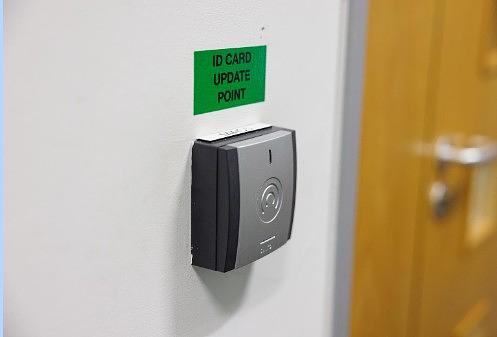
Where are the ID card update points?
ID card update points are available across University buildings on:
- College Lane campus
- de Havilland campus
- Other University sites
Use the campus maps below to find your nearest location:
The University buildings are listed below in alphabetical order.
College Lane campus
View the CL campus map
| Art & Design Building |
|
| Automotive Centre |
|
| College Lane LRC Annex building |
|
| C.P. Snow Building |
|
| Film, Music & Media Building |
|
| Forum |
|
| Health Research Building |
|
| Hertfordshire International College (HIC) |
|
| Hutton Building |
|
| Innovation Centre |
|
| Learning Resource Centre (LRC) |
|
| Lindop Building |
|
| Main Building |
|
| Mercer Building |
|
| Nexus |
|
| Spectra |
|
| Todd Building |
|
| Wright Building |
|
de Havilland campus
View the de Hav campus map
|
Enterprise Hub |
|
|
Institute of Sport |
|
|
Grace Ononiwu Law Court Building |
|
|
Learning Resources Centre (LRC) |
|
|
M Block (de Havilland Main Building) |
|
|
R Block (de Havilland Main Building) |
|
Other sites
| Bayfordbury |
|
| MacLaurin Building |
|
| Meridian House |
|
| UNO Bus |
|
My ID card isn't working
If your ID card is damaged or not working, take it to any Ask Herts Hub so it can be checked.