Scammers are becoming increasingly sophisticated, using emails, texts, social media, and even phone calls to trick people into sharing personal information or handing over money. Whether you’re new to the University or a returning student, it’s important to recognise the signs of a scam and know how to protect yourself.
This page highlights some of the most common tactics currently being used, including HMRC impersonation scams, student focused fraud, phishing attempts, and social engineering tricks.
By understanding how these scams work and what red flags to watch out for, you can stay safer online and avoid becoming a victim.
- Delivery scams
- Fake captchas
- Fake housing listings
- Freshers' Friend scam
- HMRC related scams
- Phishing scams
- Quishing
- Student loan scam
- Text Scam
- Tuition fee payment scams
- Vishing (voice / phone call scams)
- Yearbook scam
Delivery scams
Beware of delivery scams and phishing emails that pretend to be from a delivery company such as DPD or Royal Mail. These emails claim that you have missed a delivery and ask you to reschedule for a small fee, thereby obtaining your bank details.
- Royal Mail delivery scam examples
- National Cyber Security Centre (NCSS): Fake 'missed parcel' messages and advice on avoiding banking malware
Fake captchas
Some scammers are now using fake captchas to trick you into installing malware on your device.
A real captcha is a test used to determine whether an online user is a human or a bot, usually by asking you to select a set of images, typing out distorted text or solving a simple math problem
Instead of asking you to pick images or type text like a real captcha, these fakes tell you to press certain keys or run commands on your laptop or phone. Doing this can silently install harmful software that lets criminals steal your data or access your accounts.
A real captcha will never ask you to:
- Run commands on your device
- Paste text into your computer
- Download files
- Enter your login details
- Press shortcuts like Windows Key +R
- Press Ctrl V
If something online asks you to do anything unusual with your device, stop and think:
Who’s asking? Why do they need this? And does it feel right?
Fake housing listings
Be wary of fake housing listings - Students looking for accommodation are often lured by fake rental ads offering cheap rooms. Scammers ask for a deposit upfront, only to disappear once the money has been transferred. Always view the property in person and use trusted housing platforms.
Freshers' Friend scam
This type of scam has been used against University students all over the UK.
It uses social engineering to identify potential victims and contact them through social media channels before they arrive at University.
Once in touch, the scammer goes to great efforts to gain their victims' trust. In reality, they are running a confidence trick – befriending people, then stealing money for fake events as well as harvesting bank account and credit card details for use in future financial frauds.
HMRC related scams
Scammers often send fake emails, texts, or make phone calls pretending to be HMRC. They might say you have unpaid taxes, are due a refund or owe money and try to pressure you into acting fast – asking for personal details, demanding payments, or even threatening legal action or arrest.
⚠️Received a suspicious call? HMRC will never threaten you or leave voicemails about legal action or arrest.
- Signs it could be a scam – it could be a scam if it tries to rush you, sounds threatening, is unexpected, asks for personal details like your bank info, tells you to send money, or promises a refund, tax rebate, or grant.
- Shared personal details by mistake? Don’t panic – report it to the HMRC security team. If you’ve lost money to a scam, head to the Action Fraud website and report it straight away.
See the latest government advice for tips on what to look out for and contact details for help: https://www.gov.uk/guidance/identify-hmrc-related-scam-phone-calls-emails-and-text-messages
Phishing scams
Phishing involves an attacker trying to trick you into providing sensitive account or other login information online.
Phishing messages may look legitimate, posing as your university, bank, or online services asking you to click a link or update personal information. Please stay alert for suspicious emails or messages especially those asking you to log in, reset passwords or share personal information. Look for unusual sender addresses, suspicious links or poor grammar as tell-tale signs.
It can take many different forms. Here are just a few examples:
- Vishing, which is short for "voice phishing," is when someone calls you to try to steal information. They may pretend to be a trusted friend or relative or to represent them
- In an email phishing scam, the attacker sends an email that looks legitimate, designed to trick you into entering information in reply or on a site that the hacker can use to steal or sell your data.
- An HTTPS phishing attack is carried out by sending you a link to a fake website. The site may then be used to gather any private information you enter.
- Pop-up phishing uses a pop-up about a problem with your computer’s security or some other issue to trick you into clicking. You are then directed to download a malware file, or to call a fake support centre.
- Social engineering attacks try to pressure you into revealing sensitive information by manipulating you psychologically. For example, by pretending to be a representative of your bank or the student loans company and that you need to take action urgently to protect your account or receive payment.
- Smishing is phishing through some form of a text message or SMS
Find out more: https://www.fortinet.com/resources/cyberglossary/types-of-phishing-attacks
Phishing emails are designed to create urgency and pressure you into acting quickly. To help protect yourself:
- Take your time before responding to unexpected requests or offers. Often these scams create false urgency to provoke panic, for example using language such as ‘missed deadline’, ‘outstanding payment due’.
- Never share personal or financial information unless you are certain the source is genuine. The University will never ask for your password.
- Never share your password or approve a multi-factor authentication (MFA) request you were not expecting
- Avoid clicking links or opening attachments in suspicious emails
- Check the sender carefully if something doesn’t feel right
- Report anything suspicious immediately to IT Helpdesk.
- Protect yourself by following these tips: How to spot a scam email, text message or call
-
If you feel worried or affected, you can contact Student Wellbeing for support.
Quishing
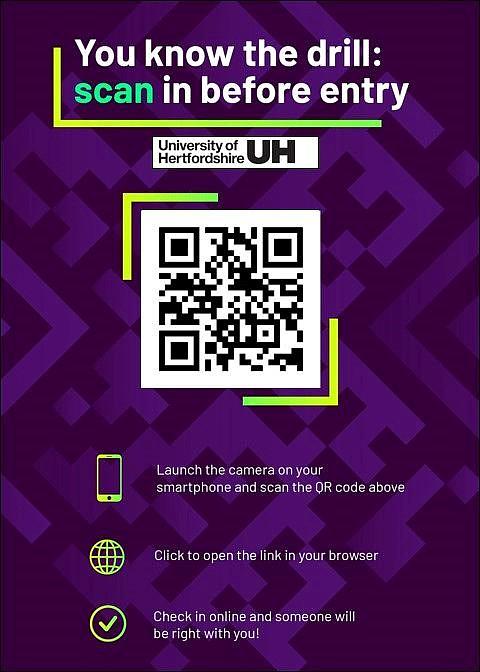
- Quishing is a type of phishing attack that uses QR codes to trick people into visiting a malicious website or downloading a virus-filled document.
- Quishing works by creating fake QR codes that mimic legitimate ones. Scammers then place these codes on flyers, labels, posters, or any other public space where people can scan them. Once the user scans the code, it takes them to a counterfeit website that looks like the real thing.
- They can also be planted into emails as images or within attachments.
Student loan scam
Each year scammers target new students, who arrive at University with large amounts of money in their bank accounts for their course and living expenses.
- Fraudsters send emails, texts, or calls claiming to be from the Student Loans Company (SLC), asking for personal or financial details to “process your loan” and ensure it arrives on time.
- They may use the Student Loans Company branding and resemble official communications from them.
- The SLC would never request this information from you in a direct email.
- Always log in directly to the official SLC website to check your loan status and never share personal info through unofficial channels.
See latest government advice with tips, useful resources and contact details: Be vigilant of scams as the 2025/26 academic year begins.
Text scam
We have been alerted to a recent increase in reports of a common text scam targeting students to trick them into giving away financial information.
- Text messages are sent to students referencing unusual activity on their account advising them to expect a call from the University’s Finance team.
- Students then receive a telephone call from a private number claiming to be from the University’s Finance team and asking them for details about their bank accounts.
- These messages have NOT been sent by the University's Finance team and you should not proceed with the call.
- Cyber criminals are clever and can be very convincing using messaging designed to look like they have come from the University to trick you into thinking they are legitimate and into revealing personal and or financial information. See advice on how to spot a scam email, text, message or call.
- Please be vigilant of suspicious emails, texts and telephone calls and NEVER give out any personal information or bank details to random callers.
- If you think a scammer has got hold of your bank details, please contact your bank straight away to make them aware and change passwords on your accounts. The sooner you report it the quicker any damage can be limited.
- Do be careful about what information you share online – especially your date of birth or any information that a bank might use to verify accounts or lost passwords. Your phone numbers, home address and pictures of your home, workplace or education setting are valuable material for scammers.
Victims of personal cyber-attacks, in whatever form, may be left feeling vulnerable, angry, or anxious and this can have a serious impact on mental wellbeing. We encourage all students to seek support in such circumstances. Get support from Student Wellbeing and/or the Student Wellbeing 24-hour helpline.
Tuition fee payment scams
Scammers have been known to target students at UK universities via phishing emails pretending to be university staff and falsely claiming that tuition fees are overdue and instructing them to make payments to a specified account.
Please be cautious when dealing with payments requests. The university never shares bank account details in emails and payments to the University for your tuition and accommodation fees should always be made using our official payment methods. Never transfer funds through a third party, including individuals or companies (agents and representatives). If you receive an unexpected or urgent demand for payment please verify the information before going any further.
See further advice on how to spot a scam email, text, message or call.
Vishing (voice / phonecall scams)
‘Vishing’ is done over the phone when criminals impersonate a person or business and try to trick you into giving up your personal information.
Scammers might call you unexpectedly pretending to be from your bank, the police, a government department, the Home Office or another organisation you recognise. These calls can be automated or from a real person.
They may claim there is a problem with your bank account, visa application or immigration status and pressure you to act quickly. Some scammers target international students and staff, threatening consequences such as visa cancellation or deportation unless an urgent payment is made. They may also ask for personal information, banking details, passwords or security codes.
Report a suspicious phone call
If you’ve lost money or your account has been hacked after responding to a vishing call, report it straight away at the Report Fraud website reportfraud.police.uk or call 0300 123 2040.
Protect yourself from scam phone calls
Check the source
- If you get a phone call asking for your personal or financial details, don’t feel you have to respond straight away. Ask who they are and where they are calling from, then end the call. Look up the organisation yourself and call them back using the official number on their website to check the call is genuine.
- Be aware that scammers can make calls look like they are coming from real organisations by copying (cloning) phone numbers. Even if the number looks familiar, it’s still important to double‑check before sharing any information.
- Be particularly cautious of anyone claiming to be from the Home Office, UKVI or a Visa Application Centre and saying there is a problem with your visa or immigration status. Scammers often use fear and urgency to pressure people into making payments or sharing personal information. Genuine officials will not contact you unexpectedly to demand immediate payment.
- If someone pressures you to act quickly, or threatens things like your visa status or your finances, this is a warning sign.
- Other scam tactics include being asked to buy gift cards or share the codes – this is also a warning sign and something a legitimate organisation will never ask you to do.
- Take a step back, don’t respond immediately, and make sure the call or email is genuinely from a trusted source before taking any action.
Use tools that can help block scam calls
Many phone companies offer services that can protect you from scammers and other nuisance callers. These include:
- caller display
- incoming call blocking
- anonymous call rejection
For more information on protecting yourself from scam phone calls see National Cyber Security Centre (NCSC) advice: https://www.ncsc.gov.uk/collection/phishing-scams/report-scam-call
For more information on the latest Home Office guidance on protecting yourself from tricks and scams: Fraud, tricks and scams: guidance
Yearbook scam
Email scam targeting students by asking them to buy a yearbook.
- The sender is appearing as registration@my-yearbook.com and the email subject as ‘Complete Your Yearbook account.’
- The email then asks you to fill in a form with personal details including your name, mobile number, personal and university email address, profile picture and the degree you have achieved.
- The form requires you to pay either a £5 or £10 fee, which the scammers then use to set up recurring payments from your account.
- If you have received this email do not click on any links in it or enter your information in the form, instead just delete the email.
- University of Hertfordshire DOES NOT produce yearbooks, so if you are student with us and receive a yearbook message this is very likely to be a scam.